
How to Make an AI Rap Video for TikTok, Reels and Shorts
The settings to use for an AI rap video on TikTok, Instagram Reels and YouTube Shorts, how to write the first line, and what each platform says about AI labels.
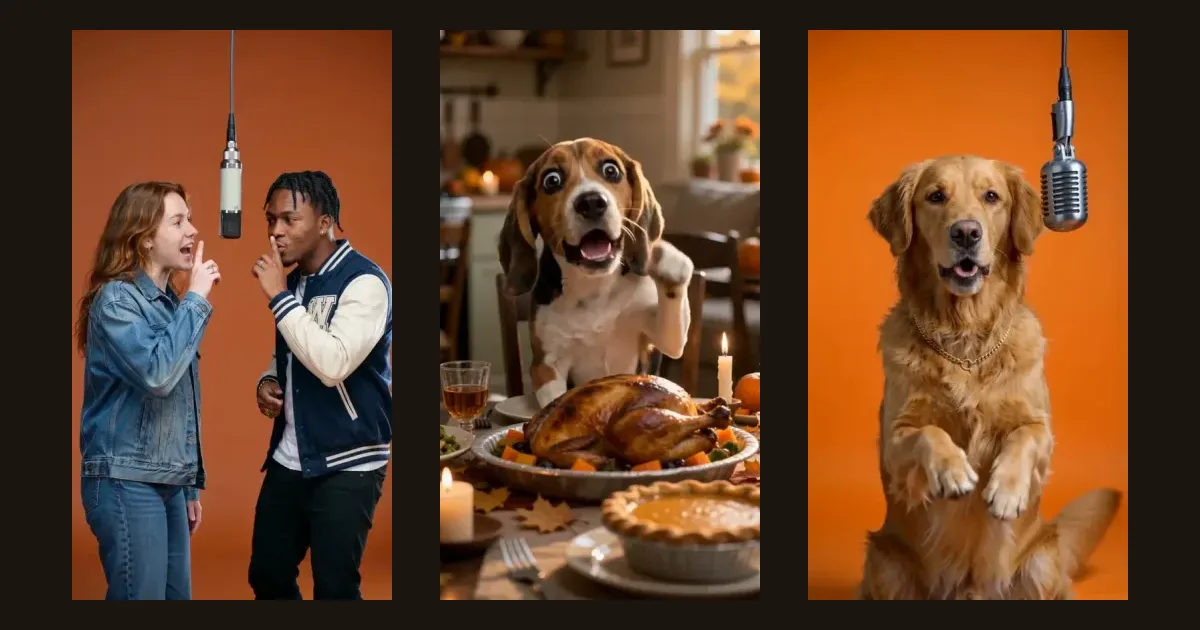
The short answer: make the video in 9:16, keep it to about 10 seconds and put your funniest line first. Download the MP4, upload it to TikTok, Reels or Shorts with its original audio and turn on the platform's AI label.
This guide uses RapVideo AI, which we make. It covers what's different when the video is for a vertical feed. For every screen in the generator, see the complete guide.
The settings to use
| Setting | Use this | Why |
|---|---|---|
| Aspect ratio | 9:16 | Fills a phone screen on all three platforms |
| Length | 10 seconds | Fits about four lines, long enough for a setup and a punchline |
| Resolution | 720p (720 × 1280) | Sharp on a phone, and available on every model |
| Model | Standard to test, then Fast | Test the idea cheaply, then spend more on the one you'll post |
| Settings | Credits |
|---|---|
| Standard, 480p, 5 seconds | 1 |
| Standard, 720p, 10 seconds | 4 |
| Fast, 480p, 10 seconds | 5 |
| Fast, 720p, 10 seconds | 10 |
1080p is available only on the Pro and Ultra models. It costs much more, so try it once you know an idea works. New accounts get 3 free credits, enough for one 5-second video on Standard at 480p.
Step 1: Pick a topic people would send to a friend
These are our suggestions rather than platform rules. We look for a topic that someone can recognize right away and picture sending to one specific person:
- A pet with a problem. My beagle thinks every plate belongs to him.
- A small daily failure. I've been "five minutes away" for forty minutes.
- A friendly roast. My roommate leaves one spoonful of cereal in the box.
- A moment on the calendar. Birthdays and holidays give people a reason to share.
Our AI rap video prompts and friendly rap roasts have more ideas. Keep the humor friendly, and only feature people who've agreed to it.
Step 2: Put the best line first
The first line has to work before a viewer has any context, so don't spend it on an introduction. Compare these two openers:
Hey what's up everybody, this one's about my dog
Puppy eyes locked on your plate all night
The second one starts the joke straight away. Then write four short lines, one per bar, and save a small surprise for the last one. If you need help with this, turning lyrics into a rap video covers how many lines fit each length.
Step 3: Choose a scene you can recognize in a thumbnail
Feeds are fast, so a simple scene with one clear idea tends to read better. Hotel Lobby's orange booth is the most distinctive choice. In the Hotel Lobby duo, one performer raps at the mic while the other keeps moving, and the movement can vary between runs and photos. Make a test clip before you commit.
Seasonal scenes are also easy to recognize, such as our Christmas, Thanksgiving and birthday templates.
Step 4: Check the clip, then download it
Watch it through with the sound on, and check these before you post:
- Do the words match your lyrics?
- Do the hands, face and microphone look right?
- Does it still work on a phone, at phone size?
- Does anything make it look like a real person said something they didn't?
Then download the MP4. RapVideo AI videos have no watermark, including those made with free credits.
Step 5: Upload it and keep the audio
Upload the original file to each platform. Don't save a copy from one app and repost it on another, because it may carry that app's watermark and lose quality.
Keep the original sound. The file already includes the beat and vocals, so don't add a trending track on top.
Add captions if you want the words on screen. The generator doesn't add them, so use the platform's caption tools or your own editor. Check that they don't sit under the app's buttons at the edges of the screen.
Write a short, honest caption. Say what the joke is and add "Made with AI." If you made the video to promote a business, also follow the platform's rules for branded or promotional content.
What each platform says about AI labels
We checked each platform's help page on November 4, 2026. These rules change, so look at the current options when you upload.
| Platform | What the platform says | Where to do it |
|---|---|---|
| TikTok | Requires a label on realistic AI content and encourages one on other AI content | Tap More options, then turn on AI-generated content |
| Requires a label on photorealistic video or realistic-sounding audio made or altered with AI | Label the content before you share it | |
| YouTube | Requires disclosure of realistic AI content, including AI music that is the main focus of a video | In YouTube Studio, under AI use, during the upload steps |
Sources: TikTok, Instagram and YouTube.
An AI rap video has an AI-generated vocal and often a realistic-looking person, so our advice is simple: label every one. TikTok says its setting doesn't affect distribution when a video follows its Community Guidelines, and YouTube says disclosure alone doesn't limit reach or monetization. Platforms can also add labels themselves.
Don't post a video that makes a real person seem to say something they didn't, even with a label. Our Acceptable Use Policy doesn't allow impersonation or misleading content, and the platforms have their own rules on this.
What this can't do
- It doesn't make long videos. The longest clip is 15 seconds. That suits a single joke, not a full track.
- It doesn't post for you. You download the file and upload it yourself.
- It can't predict views. We can't promise that a video will take off. Try several topics and see what your audience responds to.
A posting routine you can repeat
- Write three topics, and pick the one you'd most want to send to a friend.
- Make a 5-second test on Standard to check the photo and the first line.
- Make the final 10-second version.
- Post it with the AI label and a short caption.
- Change the topic and the performer next time, rather than reposting the same clip with small edits.
FAQ
What are the best settings for an AI rap video on TikTok?
Use 9:16 vertical. For most clips, 10 seconds at 720p is a good place to start, with about four short lines of lyrics. The same file works for Instagram Reels and YouTube Shorts.
Do I have to label an AI rap video on TikTok?
TikTok requires a label on AI-generated content with realistic images, audio or video, and encourages one on other AI content. Turn on the AI-generated content setting under More options before you post. TikTok says the setting doesn't affect distribution if the video follows its Community Guidelines.
Do I have to disclose AI music on YouTube Shorts?
YouTube lists AI-generated music that is the main focus of a video among the content that must be disclosed. An AI rap video usually fits that, so choose Yes under AI use when you upload. YouTube says that disclosure alone does not limit reach or monetization.
Do AI rap videos have a watermark?
RapVideo AI downloads have no watermark, including videos made with free credits. Upload that original MP4 to each platform, rather than saving a copy from one app and reposting it elsewhere.
Do I need to add a sound from TikTok?
No. The downloaded video already includes the beat and vocals. Adding a trending sound over it would cover the rap, so keep the original audio.
Can I post AI rap videos of my friends?
Only with their permission. Don't post videos of people who haven't agreed, and don't use celebrities or anything that could mislead viewers about who really said something.
Make one for your feed
Pick a topic, open the AI rap video generator and choose 9:16. New accounts get 3 free credits, enough for one 5-second video.