
AI Rap Video From a Photo: With Your Own Song or AI-Made Music?
Do you already have a song, or should the AI write the rap? How the two kinds of photo-to-rap tools differ, which one fits you, and what each costs to try.
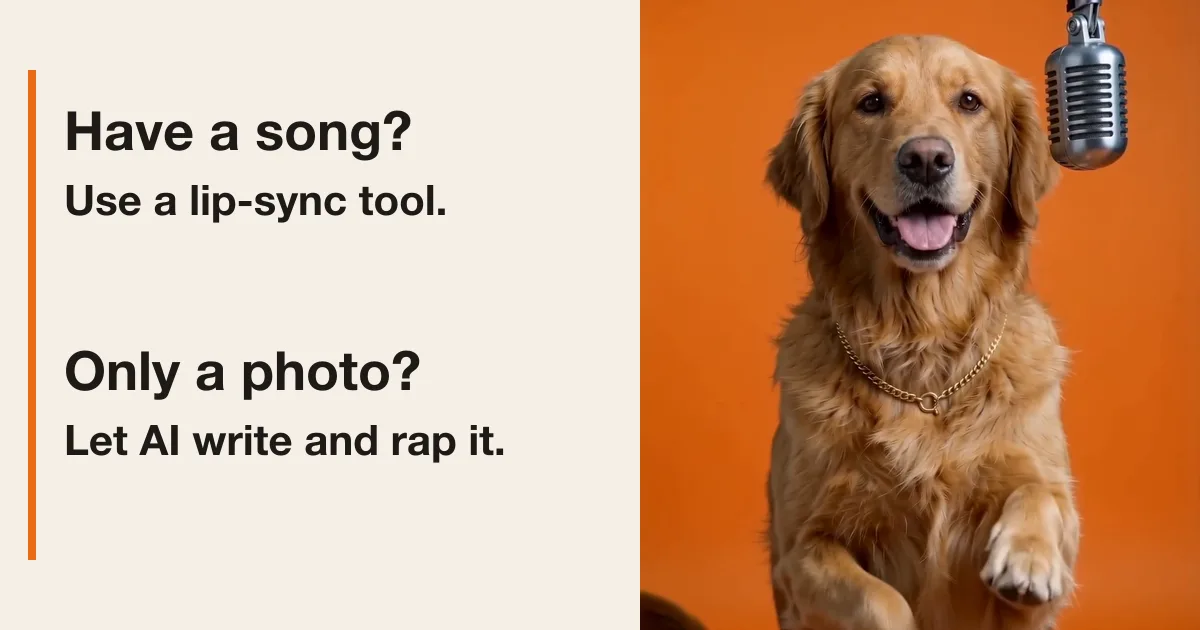
The short answer: if you only have a photo and want something funny, use a photo-to-rap tool. It writes the lyrics, makes the beat and the rap voice, and animates the photo, so you don't need a song or a recording. If you already have a song or a recorded verse and want the photo to mouth exactly those words, use a lip-sync tool instead.
Our bias: we make RapVideo AI, a photo-to-rap tool. It can't use your own song, so for that job we point you to other tools below. Facts about other tools come from their own sites, checked on November 14, 2026.
The one question that decides it
AI assistants and comparison guides usually ask the same thing first: do you already have a song? The answer splits the tools into two groups that work very differently.
| You have | Use | What the tool does |
|---|---|---|
| A photo and an idea, no song | A photo-to-rap tool | Writes the lyrics, makes the beat and rap vocals, animates the photo |
| A photo and your own lyrics, nobody to rap them | A photo-to-rap tool | Takes your typed lyrics and performs them with an AI voice |
| A photo and a recorded verse or finished song | A lip-sync tool | Moves the photo's mouth to your audio |
| A full song and you want a music video | A song-to-video tool | Builds scenes around your track, often minutes long |
Option 1: no song, let the AI make the rap
This is the route for birthday raps, pet raps, roasts and inside jokes. You upload a clear photo, type a topic such as "my cat demands breakfast at 5 a.m.", and the tool does the rest.
What you get: a short clip, usually 5 to 15 seconds, with original lyrics, a beat and an AI rap voice. Two-person duos are common: you upload one photo per rapper.
What you give up: you can't pick the exact song or use your own voice, and the clips are short.
Tools that work this way, as stated on their sites:
- RapVideo AI (ours): one or two photos of people, pets or characters, plus a topic or your own lyrics. Clips of 5 to 15 seconds. New accounts get 3 free credits with no credit card, enough for one 5-second 480p video with no watermark.
- Hookai: one or two photos and a theme, 5 to 15 seconds. No free render; packs start at $8.90.
- Rapsona: one or two photos, first names and one detail, 12-second videos at $5.99 each. No free credit and no word-for-word lyrics.
- Rap Anyone: one photo, a name and a few details for a birthday, roast or hype rap. A free 4-second watermarked preview; a 10-second video costs about one $6.99 pack.
See all of them side by side in our comparison of AI rap video generators, or read how to make a photo of yourself rap.
Option 2: you have a song or a recording
If the words and the voice already exist, you only need the photo to move its mouth in time. That's a lip-sync tool.
What you get: the photo performs your exact audio, and some tools take longer clips.
What you give up: you have to prepare the audio first, and most of these tools don't write or perform a rap for you.
- WaveSpeed's Make a Photo Sing: free, no sign-up and no watermark. Upload a portrait and a vocal clip of up to 30 seconds.
- FreeLipSync: free clips of up to 20 seconds from a face photo and your audio or typed text; paid plans go longer.
- SingingPhoto: says it's free with no paid tier and lip-syncs a photo to your song or spoken audio.
- CapCut's singing photo: a photo plus your own song, or typed lyrics sung in preset voice styles. It doesn't mention rap.
If the song is a famous track, check that you have the rights to post it before you share the video, and especially before you use it in an ad.
Option 3: you have a finished song and want a full music video
Lip-sync tools and photo-to-rap tools both make short clips. For a whole song with changing scenes, use a song-to-video tool such as Neural Frames, which advertises videos of up to 10 minutes. Our comparison covers these too.
Not sure? Try the free option for your case
- No song: make one free 5-second clip on RapVideo AI and see if the AI-written rap is the vibe you want.
- Have a recording: run 20 to 30 seconds of it through a free lip-sync tool first.
Whichever you pick, only use photos you have permission to use, and label the video as AI-generated when you post it. Our TikTok and Shorts guide covers the labels.
Sources
Checked on November 14, 2026:
- RapVideo AI pricing
- Hookai and pricing
- Rapsona
- Rap Anyone pricing
- WaveSpeed Make a Photo Sing
- FreeLipSync pricing
- SingingPhoto
- CapCut singing photo
Neural Frames was checked on November 2, 2026. If something here is wrong or out of date, email support@rapvideo-ai.io and we'll fix it.
FAQ
Do I need a song to make an AI rap video from a photo?
No. Photo-to-rap tools such as RapVideo AI write the lyrics and make the beat and rap vocals themselves, so a photo and a topic are enough. You only need a song if you want the photo to lip-sync a specific track.
Can I make a photo rap my own song?
Yes, with a lip-sync tool. WaveSpeed, FreeLipSync and SingingPhoto animate a photo to audio you upload. RapVideo AI can't do this, because it always generates its own audio.
Which is easier for a beginner?
If you have nothing recorded, a photo-to-rap tool is easier: there is no audio to prepare. If you already have a clean vocal recording, a lip-sync tool is just as quick.
Can I use a famous rapper's song?
The tools may let you upload it, but you still need the rights to post it, especially for ads or other commercial use. A photo-to-rap tool avoids this by making original music.
How long are the videos?
Photo-to-rap tools make short clips, usually 5 to 15 seconds. Lip-sync tools vary: WaveSpeed's free tool takes up to 30 seconds of audio and FreeLipSync's free plan up to 20 seconds.
Make a rap without a song
Got a photo and an idea? Open the generator, type a topic and let the AI write and perform the rap. New accounts get 3 free credits with no credit card.